Five AI Prompts I Reuse Every Week (and Why They Work)
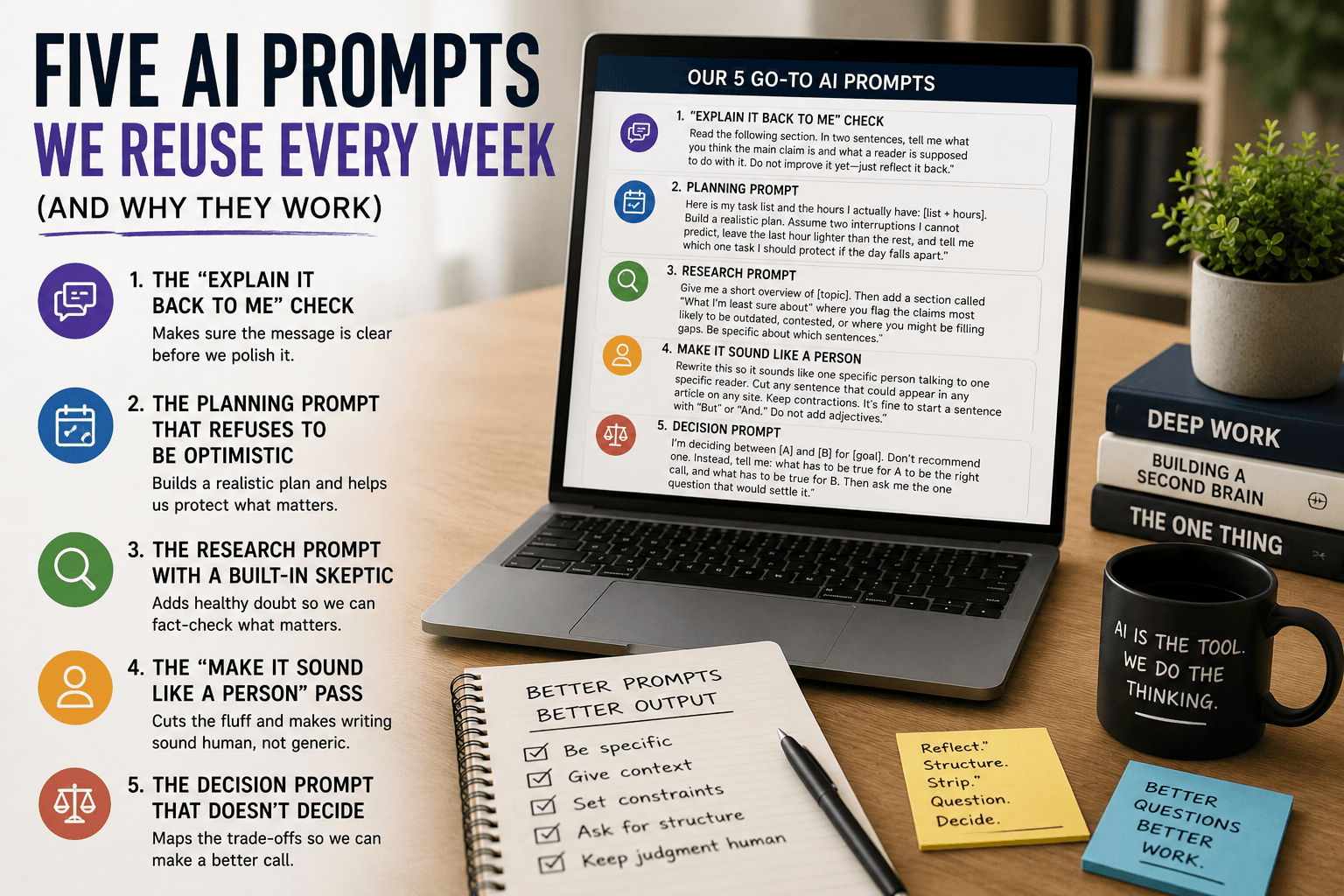
Five AI Prompts I Reuse Every Week (and Why They Work)
Most prompt guides hand you fifty templates and leave you to figure out which ones survive real work. After using these tools daily as a developer — and running this site on the side — I noticed something simpler: I keep reaching for the same five prompts, and almost everything else is a variation on them.
So instead of another giant list, here are the exact prompts I paste in week after week, written out in full, with an honest note on what each is actually good for and where it falls down. Steal them, reword them, make them yours.
1. The "explain it back to me" check
I use this before publishing anything technical, and it has caught more vague writing than any grammar tool.
Read the following section. In two sentences, tell me what you think the main claim is and what a reader is supposed to do with it. Do not improve it yet — just reflect it back.
The last line is the trick. Ask a model to "improve" something and it will happily rewrite confident-sounding text without ever revealing that the original was muddled. Asking it to summarize first exposes the gap. If the summary comes back fuzzy or wrong, the problem is my writing, not the model — and that is my signal to fix the source before polishing anything.
It works because comprehension and generation are different tasks. A weak paragraph can be rephrased into a nicer weak paragraph. It cannot be summarized into a clear point that was never there.
2. The planning prompt that refuses to be optimistic
Every planning prompt produces a tidy schedule. The problem is the tidy schedule assumes a day with no interruptions, which — as anyone who has ever been mid-feature when a production bug lands knows — does not exist.
Here is my task list and the hours I actually have: [list + hours]. Build a realistic plan. Assume two interruptions I cannot predict, leave the last hour lighter than the rest, and tell me which one task I should protect if the day falls apart.
The "protect one task" instruction earns its place. On a normal day I finish the plan. On a bad day I finish the one thing that mattered, and the bad day still counts as a win. That single question reframes planning from "fit everything in" to "make sure the important thing survives."
I edit the output every time. The point is not to hand my day to the AI — it is to start from a draft that already expects reality to interfere.
3. The research prompt with a built-in skeptic
AI research summaries are fast and confidently wrong often enough that I never take them at face value.
Give me a short overview of [topic]. Then add a section called "What I'm least sure about" where you flag the claims most likely to be outdated, contested, or where you might be filling gaps. Be specific about which sentences.
Naming the uncertainty does two things. It tells me exactly which lines to verify instead of re-checking the whole answer, and it tends to make the rest of the response more careful. I still open primary sources for anything that ends up in an article — but this prompt tells me where to point that effort.
If you only adopt one prompt from this list, make it this one. The fastest way to get burned by AI is trusting a smooth summary of something it half-knows. I have been burned; this is the fix.
4. The "make it sound like a person" pass
Generic AI text has a texture: balanced, hedged, slightly inflated, allergic to a strong opinion. I fight it with constraints, not vague instructions like "make it engaging."
Rewrite this so it sounds like one specific person talking to one specific reader. Cut any sentence that could appear in any article on any site. Keep contractions. It's fine to start a sentence with "But" or "And." Do not add adjectives.
"Cut any sentence that could appear in any article on any site" does the heavy lifting. It is concrete and testable, and it deletes exactly the filler that makes content read like it came off an assembly line. "Do not add adjectives" stops the model from sprinkling in powerful, seamless, and cutting-edge to fake enthusiasm.
You still have to bring the actual opinion. The prompt removes the sludge; it cannot invent a point of view you do not have.
5. The decision prompt that does not decide
When I am stuck between options — a library, a tool, a topic — I do not ask the AI to choose. I ask it to lay out the choice so I can.
I'm deciding between [A] and [B] for [goal]. Don't recommend one. Instead, tell me: what has to be true for A to be the right call, and what has to be true for B. Then ask me the one question that would settle it.
Handing a decision to a model feels efficient and almost always feels wrong afterward, because the model does not carry the consequences — I do. But it is genuinely good at structuring trade-offs I am too close to see. The final "ask me one question" line usually surfaces the thing I have been avoiding — the constraint that actually decides it.
What these have in common
Look back and none of these prompts ask the AI to do the work. They ask it to reflect, flag, structure, strip, and question. The judgment stays with me, which is the only arrangement I have found that produces writing I am willing to put my name on.
That is also the honest answer to the bigger question people ask about AI and quality. The tool is not the problem and not the solution. It is a faster way to get to the part where a person has to think — and these five prompts are just the shortest paths I have found to that point.
If you want to go deeper on the structure behind good prompts, my beginner-to-advanced prompt framework breaks down the four parts every strong prompt shares.
Get Weekly AI + Tech Updates
Receive practical AI tools, workflows, and hand-picked resources in one concise weekly email.
Software Developer & Founder
MCA graduate and Flutter developer (web, Android & iOS), writing from hands-on experience with AI and productivity tools.
I'm Mohd Washid, a 23-year-old software developer. I hold a BCA (2022) and an MCA (2024), and I build cross-platform apps with Flutter for web, Android, and iOS. I started AI Tech Minty to share the AI and productivity tools I actually use in my day-to-day development work — cutting through the hype with practical, hands-on guidance you can act on the same day.