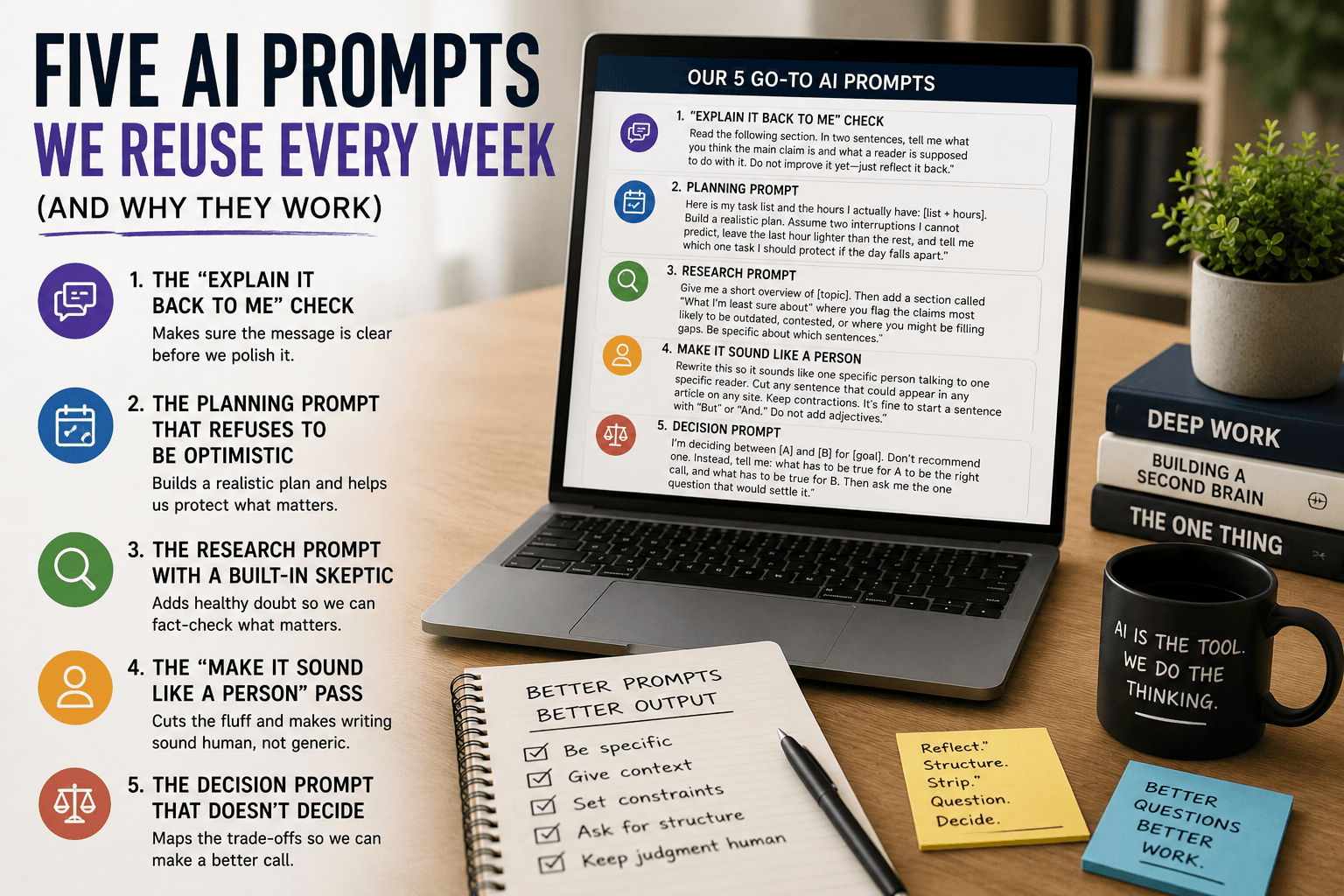
How to Write Better AI Prompts: A Beginner-to-Advanced Framework

How to Write Better AI Prompts: A Beginner-to-Advanced Framework
For the first few months I used AI tools, I quietly thought they were overrated. My results were mediocre, so I assumed the tools were. I was wrong — the problem was my input. Once I started treating prompts like I treat a well-written function signature (clear inputs, clear expected output), the quality jumped immediately.
That is the whole secret. You do not need to be technical to prompt well. You just need to give the model the same clarity you would want if someone handed you a task. This is the framework I settled on after a lot of daily trial and error building and writing.
Prompt quality checklist
Before I hit send on anything important, I check five things:
- Is the context clear and specific?
- Is the goal explicit and measurable?
- Is the output format defined?
- Did I state length, tone, and constraints?
- Did I include an example where precision matters?
Quick prompt pattern table
| Pattern | Best Use Case | Benefit | Common Mistake |
|---|---|---|---|
| Context + Goal + Format + Constraints | General writing and planning | Strong first draft quality | Missing audience details |
| Role-based prompting | Expert-style explanations | Better perspective alignment | Role too broad or vague |
| Few-shot prompting | Tone and format matching | Consistent output style | Poor or inconsistent examples |
| Iterative refinement | Final polish and clarity | Faster quality improvement | Accepting first draft too early |
Why most prompts fail
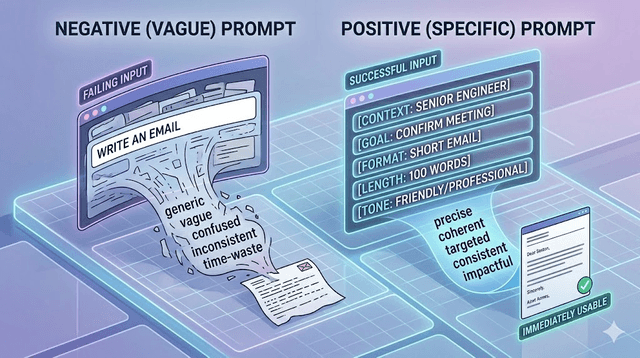
Almost every disappointing result I get traces back to missing context. Here is the difference I learned the hard way:
"Write an email about a meeting."
versus
"Write a professional email to a client confirming a 30-minute project review meeting on Friday at 2pm. Keep it under 100 words, friendly but professional, and include a brief agenda with two items: progress update and next-steps discussion."
Same request. Only the second one gives the model enough to produce something I can actually send. The first makes it guess, and it guesses wrong.
The foundation: the four-part structure
Every prompt I trust has four parts: context, goal, format, and constraints.
Context — who you are and what you are working on. "I am a Flutter developer building a cross-platform app and I need to explain a state-management concept to a teammate."
Goal — exactly what you want produced. "Write a 300-word explanation of the difference between two state approaches."
Format — how it should look. "Short intro, three bullet points, one closing line."
Constraints — what to include or avoid. "Plain language, no jargon, no code samples."
Include all four and the model has everything it needs for a usable first draft.
Beginner techniques
Be specific about your audience
"Explain this to a 14-year-old with no background" and "explain this to a senior engineer" are both valid — the model just needs to know which. When I am documenting code for a junior dev versus a client, I say so, and the output changes completely.
Specify the length
"A short explanation" gives inconsistent results. "Explain this in exactly 150 words" or "in three sentences" gives me something predictable every time.
Ask for alternatives
Adding "give me three versions" to any writing task is one of my highest-value habits. Seeing options helps me realize what I actually wanted, even if I end up mixing pieces from each.
Use positive instructions
Tell it what to do, not just what to avoid. "Write in a warm, conversational tone" beats "don't be too formal." When you must restrict something, be specific.
Intermediate techniques
Give examples
Pasting a sample of the style I want — "write in a style like this: [example]" — does more than a paragraph of description. This is the single biggest upgrade for matching tone.
Assign a role
Opening with "You are a senior software engineer explaining this to a junior developer" calibrates both the depth and the tone. I use this constantly for technical explanations.
Chain your prompts
Complex tasks almost never land in one shot. I ask for an outline first, review and fix it, then ask for the full thing. This mirrors how I actually build software — structure before implementation — and the final result is far better.
Ask for reasoning
For anything where the logic matters, I add "walk me through your thinking." It makes the response verifiable and, more importantly, it exposes when the model made a shaky assumption I need to catch.
Advanced techniques
Constraints first
For complex outputs, I list the constraints before the goal. "The output must be under 200 words, for a non-technical audience, in three paragraphs. With that in mind, explain how ML models are trained." Front-loading constraints makes the model respect them more reliably.
Few-shot prompting
Give two or three input-output examples before your real request, and the model copies the pattern:
"Input: The meeting ran long. Output: Despite time constraints, the discussion covered all key agenda items thoroughly.
Input: The product has a bug. Output: Our team has identified a technical issue affecting a subset of users and is actively working on a resolution.
Now rewrite this in the same tone: Input: We didn't hit our sales goal this quarter."
Iterative refinement
I treat the first response as a draft, always. "Make the opening more direct" or "the third paragraph is too technical, simplify it" gets me to a good result faster than trying to write one perfect mega-prompt.
Style control through language
You cannot always set parameters, but wording steers style. "Be concise and direct" shortens things. "Be thorough" expands them. "Be creative and unexpected" loosens the output.
Mistakes I made
Over-prompting. Early on I stuffed prompts with context I thought was helpful and got worse, unfocused results. More words is not more quality — only relevant words are.
Accepting the first output. Nearly every response improves with one or two follow-ups. The first draft is a starting point, not the deliverable.
Skipping examples when precision matters. For formatting, tone, or technical output, one good example is worth ten lines of instructions. I learned this after re-explaining the same format three times when I could have just shown it once.
A quick reference template
Copy and adapt this for any task:
"Context: [Who you are and what you're working on] Goal: [Exactly what you want produced] Format: [How it should be structured] Length: [Word or paragraph count] Tone: [Formal / casual / technical / conversational] Constraints: [What to include or avoid] Example: [Optional sample of the style you want]"
Final thoughts
Prompting is a skill, and like any skill it got much better with reps. Start by adding context and format to every request. Then bring in role assignments and examples. Eventually the clear, structured prompt becomes automatic — you stop thinking about it.
The tools in 2026 can do genuinely impressive work. Your prompt is the interface between your goal and that capability. Spend the extra few seconds; the output will reflect it every time.
Get Weekly AI + Tech Updates
Receive practical AI tools, workflows, and hand-picked resources in one concise weekly email.
Software Developer & Founder
MCA graduate and Flutter developer (web, Android & iOS), writing from hands-on experience with AI and productivity tools.
I'm Mohd Washid, a 23-year-old software developer. I hold a BCA (2022) and an MCA (2024), and I build cross-platform apps with Flutter for web, Android, and iOS. I started AI Tech Minty to share the AI and productivity tools I actually use in my day-to-day development work — cutting through the hype with practical, hands-on guidance you can act on the same day.